Activating Joe Sandbox
ThreatStream enables you to activate the ThreatStream provided Joe Sandbox service. Alternatively, if you have a Joe Sandbox subscription of your own, you can also use it for malware detonation in ThreatStream. Refer to the following sections for details:
Activating Joe Sandbox via ThreatStream
Activating Joe Sandbox With an Individual Subscription
Submitting Password Protected Archive Files to Joe Sandbox
Activating Joe Sandbox via ThreatStream
ThreatStream offers Joe Sandbox with two free detonations per day to all premium customers. To increase the daily limit of detonations for your organization, contact your Anomali account representative.
The ThreatStream Joe Sandbox service is not enabled by default and must be activated by an Org Admin.
To activate the ThreatStream Joe Sandbox service:
-
Navigate to ThreatStream > Research > Sandbox. If you are eligible to use the ThreatStream Joe Sandbox service, you will see the following at the top of the screen.

- Click Use Joe Sandbox.
- If you agree to the terms of service, check the box and click Accept.
Joe Sandbox is available from the Sandbox UI. You can now start using the ThreatStream Joe Sandbox service. Remaining detonations are displayed in the "Analyze in Sandbox" section prior to submitting a detonation.
The ThreatStream provided Joe Sandbox service supports the following platforms for malware detonation:
-
Windows 10
-
Windows 7
-
Windows 7 with Office
-
High Sierra 10.13.2 with Office
-
Ubuntu Linux 16.04 x64 with LibreOffice 5.1.6.2
-
Android 9
-
When you detonate archive files—such as .zip, .rar, or .7z files—Joe Sandbox only processes and returns a report for the first four files in the archive. Archive files count as a single submission toward your daily quota. However, individual reports are returned for each detonated file. If you detonate a URL that points to an archive file, the URL is also detonated.
-
URLs are detonated using the Chrome web browser.
Caution: Ensure that all malware detonation jobs are complete before activating or deactivating the Joe Sandbox service. Any jobs with the status Processing at the time of Joe Sandbox activation or deactivation will fail.
Activating Joe Sandbox on ThreatStream with an Individual Subscription
If you have your own Joe Security subscription, you may use your Joe Sandbox API key to activate Joe Sandbox on ThreatStream. Once you enter your API key for Joe Sandbox, you can select your individual Joe Sandbox service from the Select Client drop down during detonation.
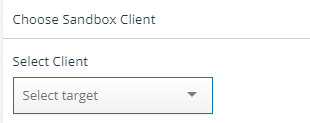
ThreatStream does not impose submission limits when you activate Joe Sandbox with your own Joe Security subscription.
Caution: As a best practice, ensure that all malware detonation jobs are complete before activating or deactivating the Joe Sandbox service. Any jobs with the status Processing at the time of Joe Sandbox activation or deactivation will fail.
To activate Joe Sandbox on ThreatStream with an individual subscription:
-
In the bottom-left corner of the side navigation panel, click
 > ThreatStream and then click Integrations.
 -
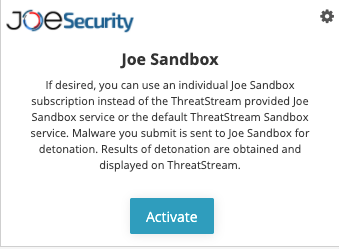
Locate the Joe Sandbox tile and click Activate.
-
Enter the following information:
Field Description API Endpoint Specify the API Endpoint associated with your organization's Joe Sandbox account.
Example:
https://jbxcloud.joesecurity.org/index.php/api/API Key Specify the API key. You can retrieve your API key from the API Key tab within Joe Sandbox user settings.
Note: Only one set of API Endpoint and API Key can be specified per organization. The values you configure here are used by all users in your organization when they access the service.
-
Click Save.
The status button for the service changes to Deactivate. The service will become available five minutes after you click Save.
Note: After activation, you can configure mailboxes to use your individual Joe Sandbox service for detonation. See Managing Mailboxes for more information.
Submitting Password Protected Archive Files to Joe Sandbox
Joe Sandbox accepts password-protected files—such as .pdf, .zip, .rar, or .7z. You can specify the password for the protected file during submission. Passwords must contain letters and numbers only. Special characters are not supported.
If you do not specify a password for uploaded files, Joe Sandbox attempts to open protected files with the default password—"infected".