Deleting Import Jobs
Import jobs submitted by your organization can be deleted from the Import page. Users with Approve Intel privileges can delete import jobs that are in Approved, Errors, Rejected, or Ready To Review status.
When you delete an import job, all observables from the import job are also deleted from ThreatStream. Therefore, deleting an import job can result in the deletion of observables which are currently active on ThreatStream.
Note: Import jobs containing more than 10,000 observables cannot be deleted from the ThreatStream user interface. Contact Anomali Support for assistance.
To delete import jobs:
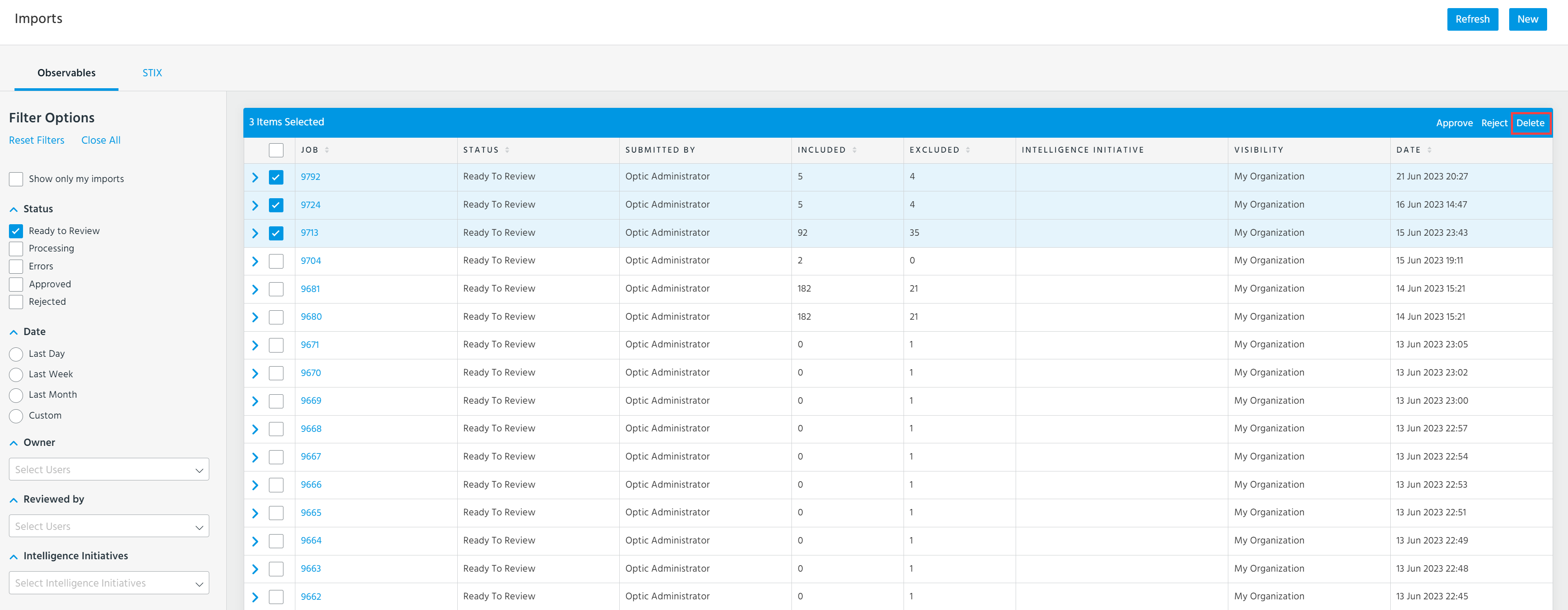
- Navigate to ThreatStream > Manage > Imports.
- Select up to 25 import jobs.
- Click Delete in the top right corner of the table.
- To confirm, click Delete Import Jobs.
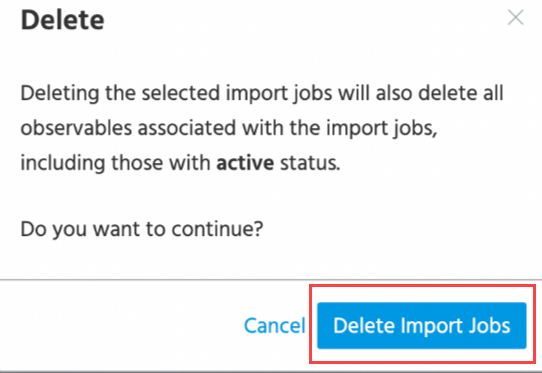
After ThreatStream processes your request, the import jobs and all associated observables will be deleted.