Approving and Rejecting Import Jobs in Bulk
Users with the Approve Import privilege can approve or reject import jobs in bulk from the Import list page. When you approve import jobs in bulk, observables listed in the Included tabs of the selected import sessions immediately become active. Therefore, you must ensure that all import jobs have been adequately reviewed before executing bulk approval.
To approve an import jobs in bulk:
- Navigate to ThreatStream > Manage > Imports.
- Select the import jobs in the Ready to Review state that you want to approve.
- Click Approve at the right top of the table.
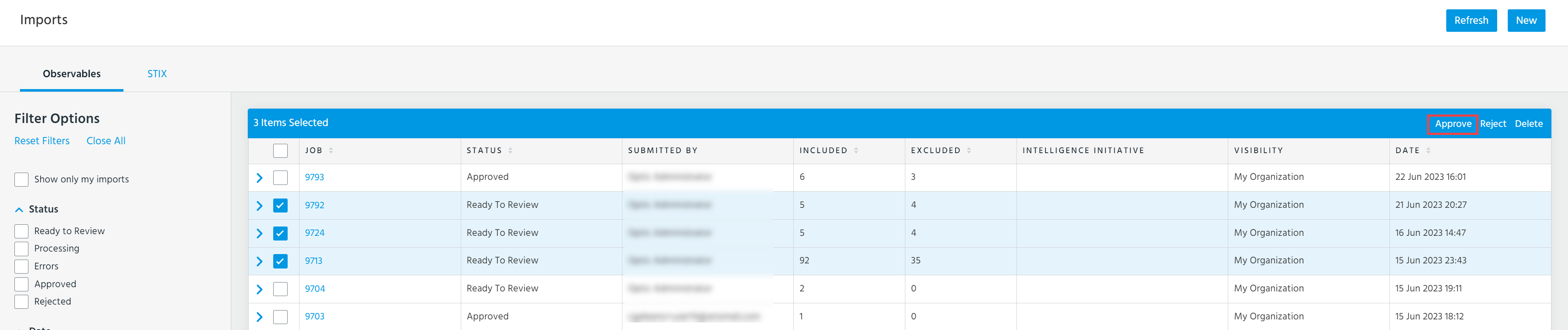
The page will refresh when ThreatStream finishes processing your request. The status for the import jobs changes to Approved.
Note: Only users with the Approve Import privilege can approve import jobs in bulk. Users without the privilege cannot send bulk approval requests.
To reject import jobs in bulk:
- Navigate to ThreatStream > Manage > Imports.
- Select the import jobs in the Ready to Review state that you want to reject.
- Click Reject at the right top of the table.
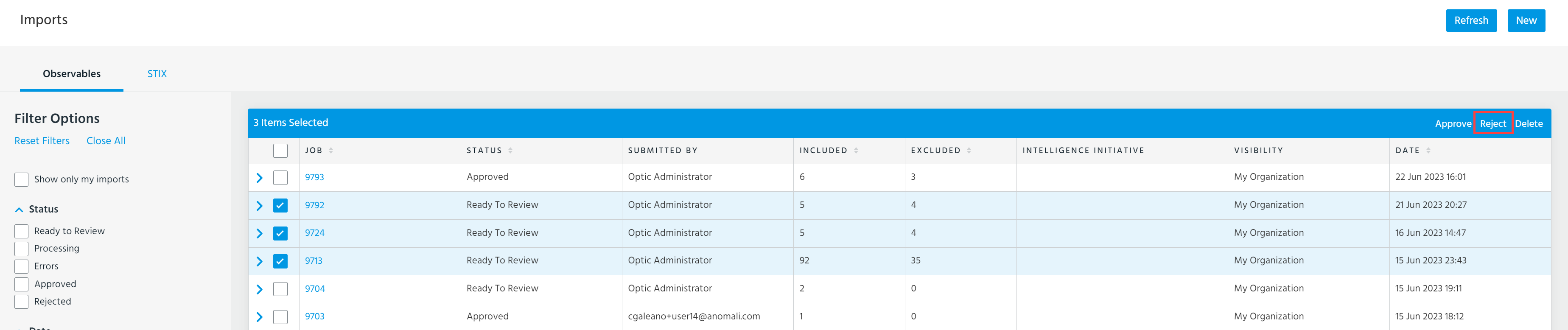
The page will refresh when ThreatStream finishes processing your request. The status for the import jobs changes to Reject.
Note: Only users with the Approve Import privilege can reject import jobs in bulk. Users without the privilege cannot send bulk reject requests.