Viewing Feed Details
Feed Details pages display all configured feed parameters and observables—such as IPs, domains, URLs, file hashes, and emails—received from each feed. These pages do not include Threat Model statistics. Feeds that produce only Threat Models will display No Results, even when they are functioning correctly.
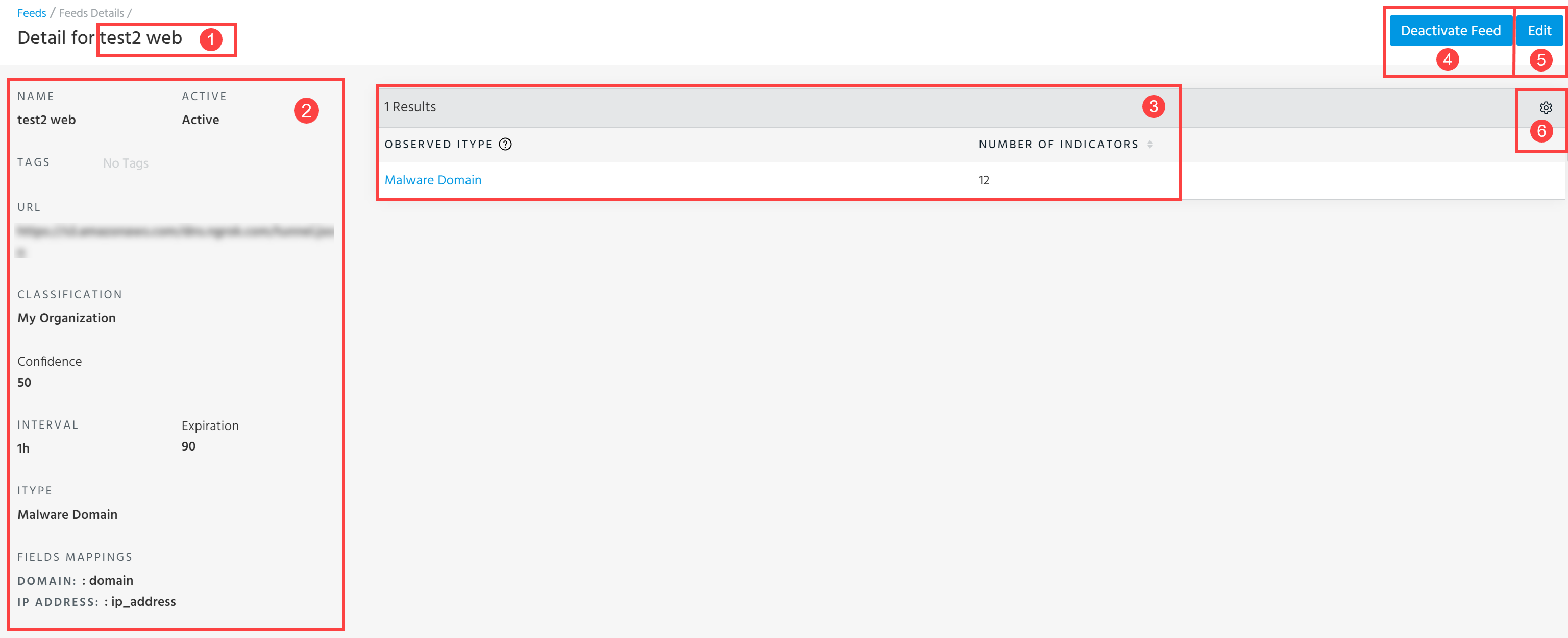
 Feed Name: Name of the feed whose details you are currently viewing.
 Feed Details: Details of the feed configured during submission—feed name, status, feed URL, tags, TLP, classification, confidence score, interval at which intelligence is pulled from the feed, and expiration.
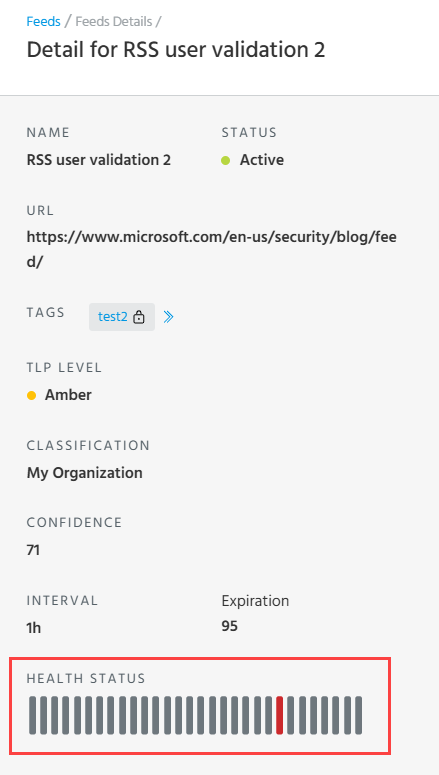
On the Details page of RSS feeds, you can also view a health status of a feed.
 Observed iTypes: A list of indicator types provided by the feed within the last 90 days.
 Deactivate Feed: Deactivate the feed. See Deactivating Feeds for more information.
 Edit: Edit the feed. See Editing Feeds.
 Table Settings: Select the columns and number of rows to be displayed per page. By default, all columns—Observed iType and Number of Indicators—are displayed.