Anomali PDRP Takedown Service
The Anomali PDRP Takedown Service enrichment enables you to request takedowns of domains, URLs, and IP addresses that impersonate your assets monitored by the Anomali PDRP Enhanced premium feed, including domains, social media accounts, and mobile apps. After activating the enrichment in the App Store, you can submit takedown requests and track their status from the details pages of domain, URL, and IP observables detected by the Anomali PDRP Enhanced feed.
For details about the Anomali PDRP Enhanced feed, see Anomali PDRP Enhanced.
Activating the Anomali PDRP Takedown Service
To request takedowns of domains, URLs and IP, you must activate the Anomali PDRP Takedown Service enrichment first.
To activate the Anomali PDRP Takedown Service enrichment:
-
Navigate to ThreatStream > APP STORE > App Store.
-
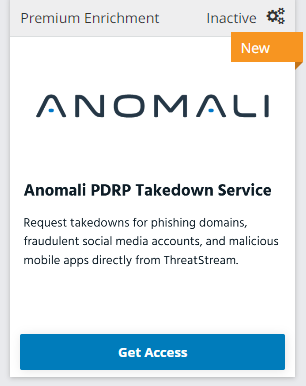
Select the Enrichment Product Type and locate the Anomali PDRP Takedown Service enrichment.
-
Click Get Access.
-
In the window that opens, click I have credentials.
- In the window that opens, click Credentials.
- Enter your API Key. Use the same API key you used for activating Anomali PDRP Service (New).
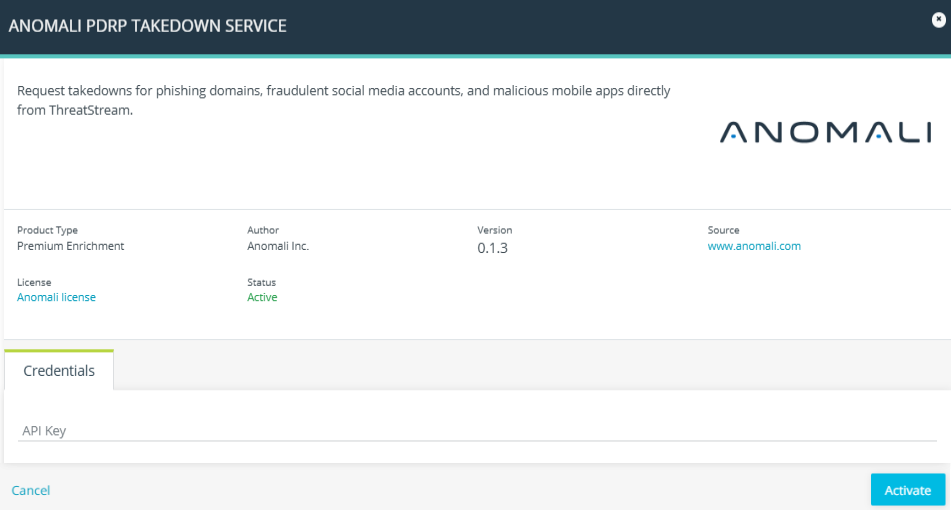
- Click Activate.
The Anomali PDRP Takedown Service is now active.
Requesting a Takedown
You can request a takedown of a domain, URL, or IP impersonating your brand from observable details pages.
To request a takedown:
-
Navigate to ThreatStream > Analyze > Observables.
-
Click the observable of your interest.
-
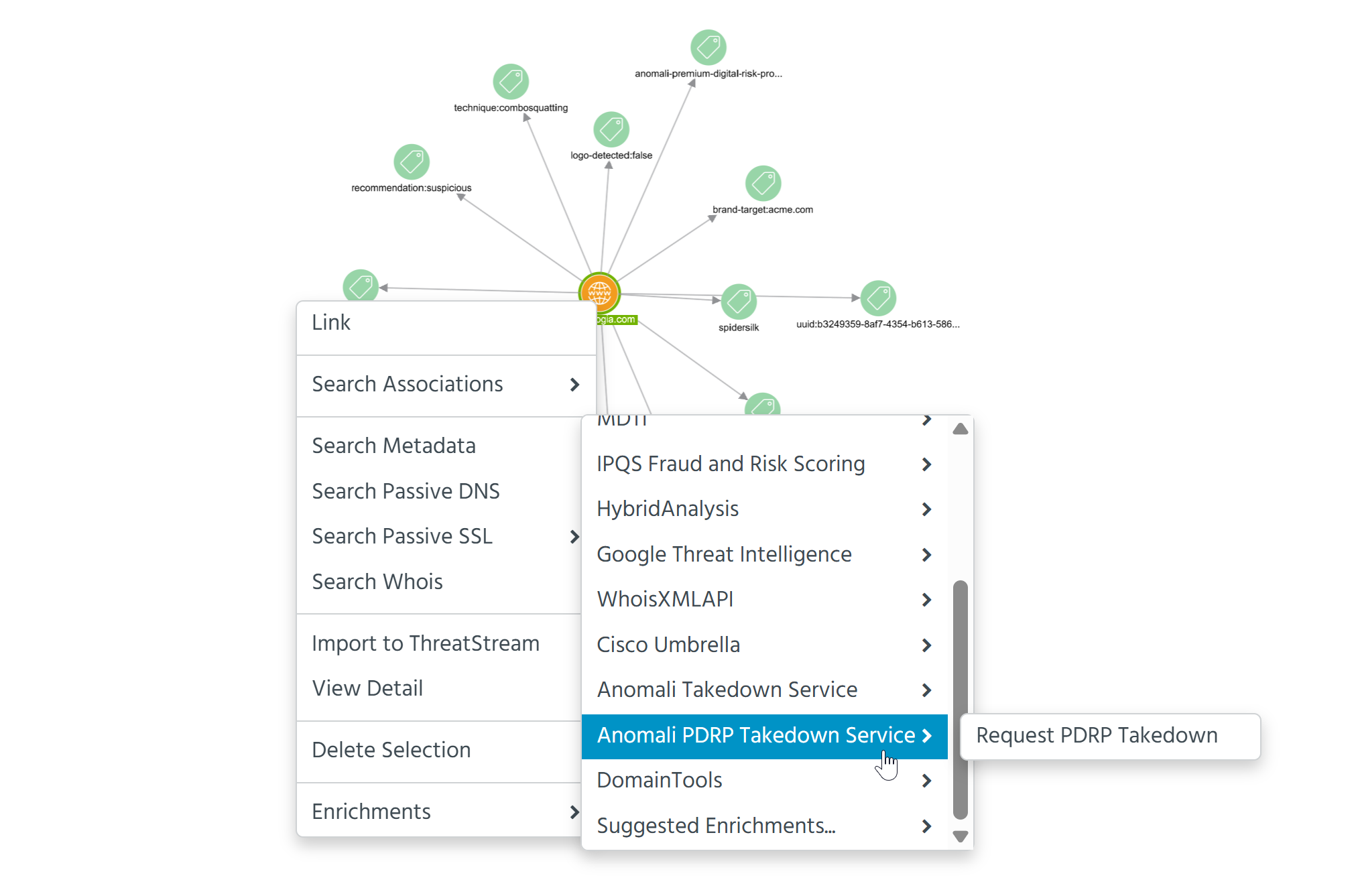
Right-click the observable node and select Enrichments > Anomali PDRP Takedown Service > Request PDRP Takedown.
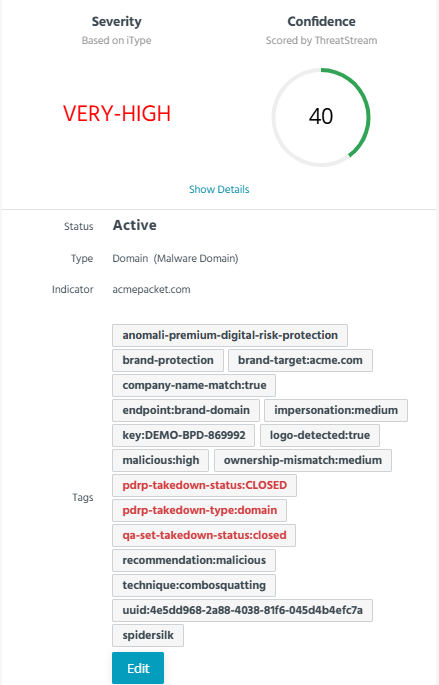
When the takedown request is processed, the following tags indicating a takedown status and type are added to the observable and Threat Bulletins associated with the observable:
-
pdrp-takedown-status: <status_value> -
pdrp-takedown-type: <type_value>
Possible status values are
-
REQUEST_TAKEDOWN: Takedown has been requested and is in progress. -
REJECTED: Takedown request was not actioned, For example, the asset is not eligible or could not be validated. -
CLOSED: Takedown was successful. The asset has been removed.
Possible type values are domain, app, and social_media.
The status polling runs every 15 minutes. An in-app notification appears in ThreatStream every time a takedown request status changes. To learn more about receiving in-app notifications from ThreatStream, see Receiving In-App Notifications From ThreatStream.
When the takedown process is completed, the taken-down asset no longer appears on the list of compromised domains or URLs.