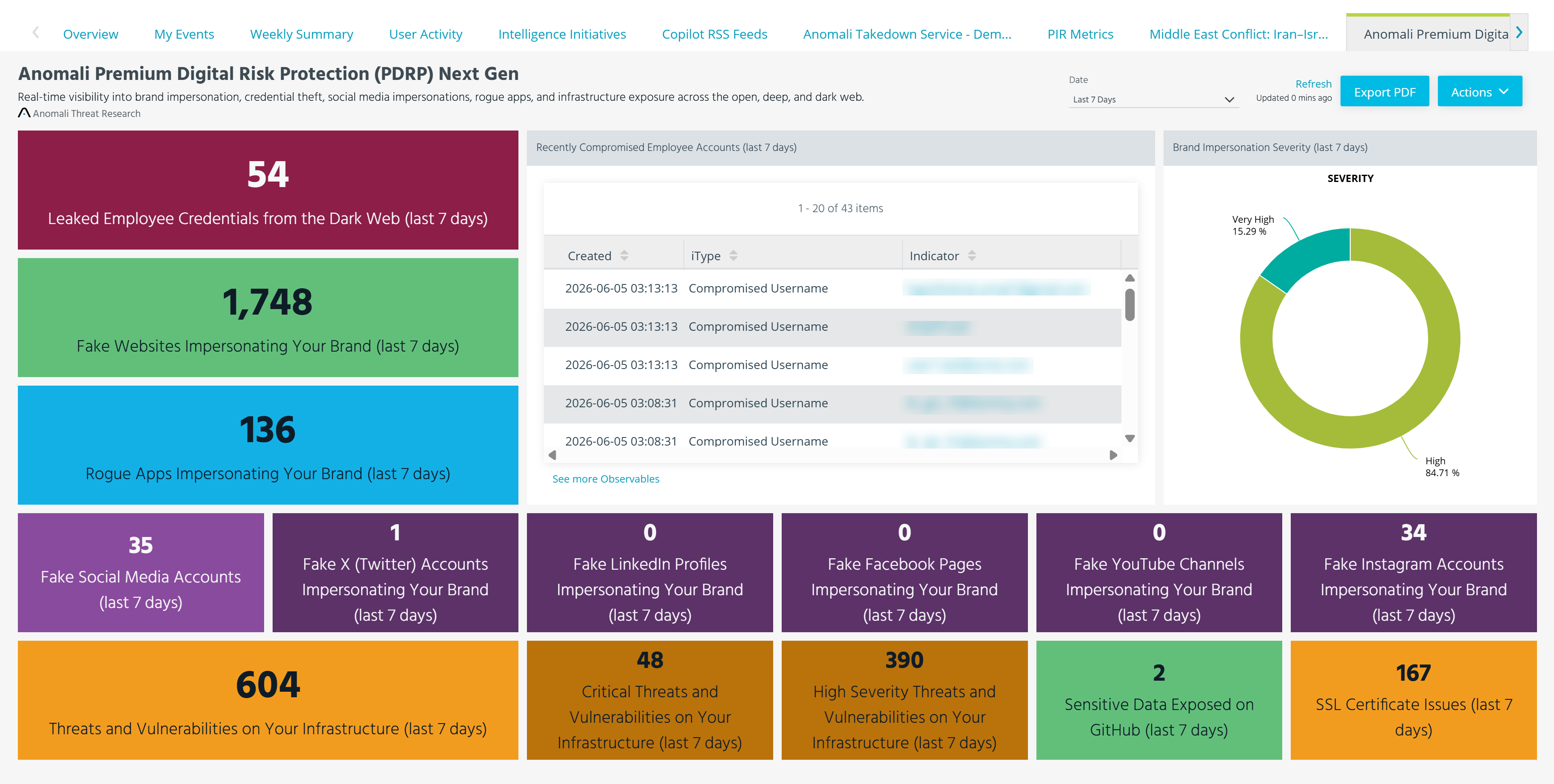
Adding the Anomali Premium Digital Risk Protection (PDRP) Next Gen Dashboard
After activating the Anomali PDRP Enhanced premium feed, you can add the Anomali Premium Digital Risk Protection (PDRP) Next Gen dashboard to monitor feed alerts.
To add the dashboard:
-
Navigate to ThreatStream > Overview.
-
Click +Add Dashboard.
-
Click Add Existing and select Anomali Premium Digital Risk Protection (PDRP) Next Gen.
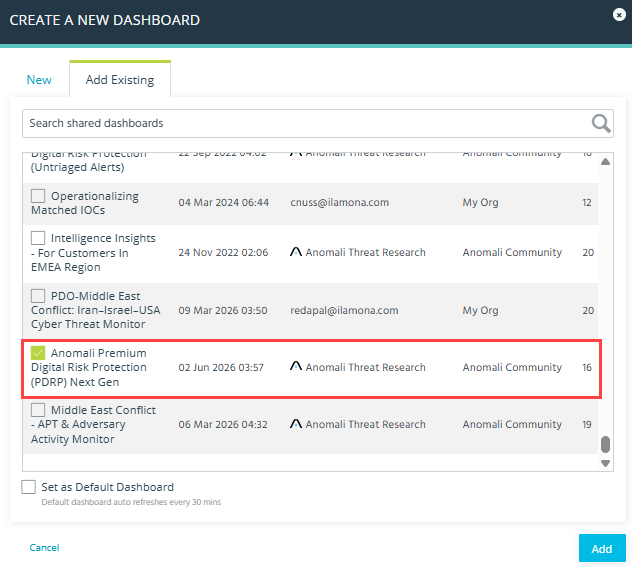
The dashboard is added to your ThreatStream environment.
Below is the example of the Anomali Premium Digital Risk Protection (PDRP) Next Gen dashboard.